Grapeweb – More than spray diary system

Search

How To : Add Manually Entered Product

How To :Add Manually Entered Product
How To
29 August 2024

Steps:

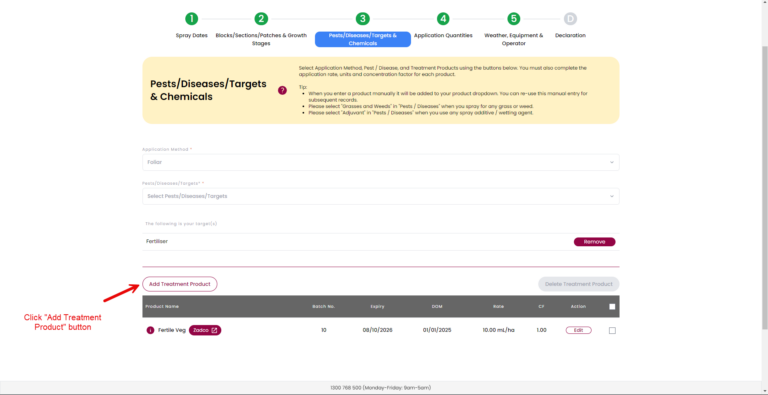
  1. Click “Add Treatment Product” button.
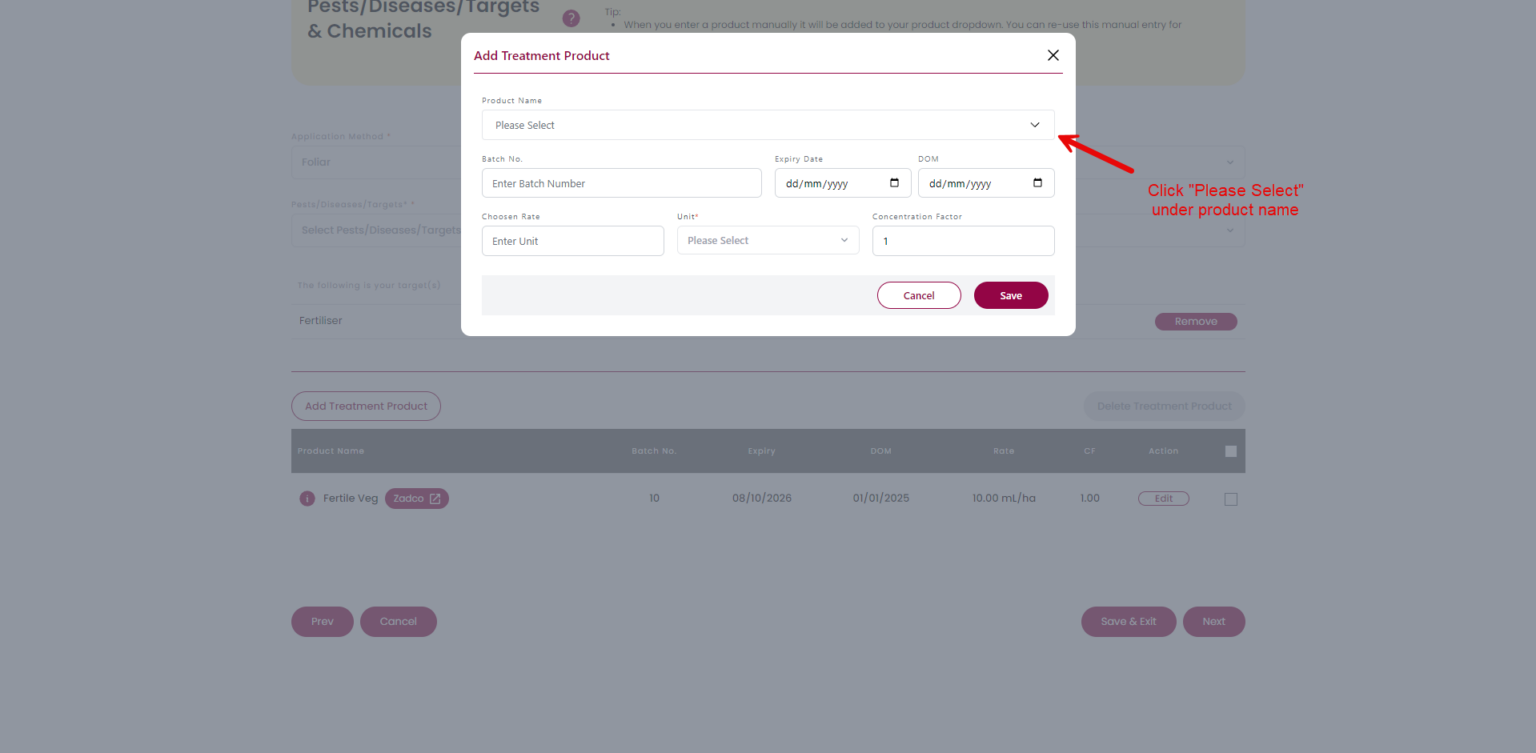
  2. Click “Please select”.
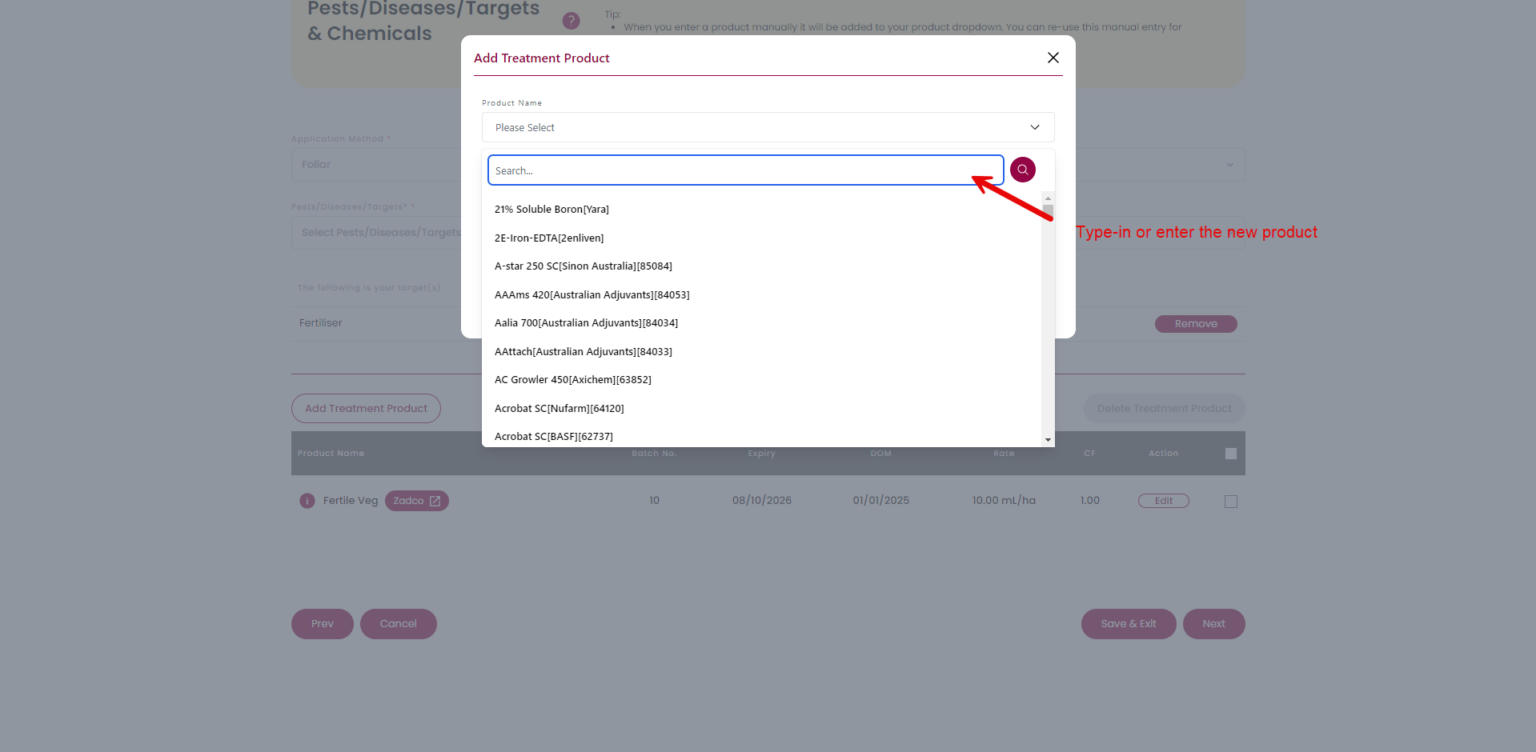
  3. Type-in the new product.
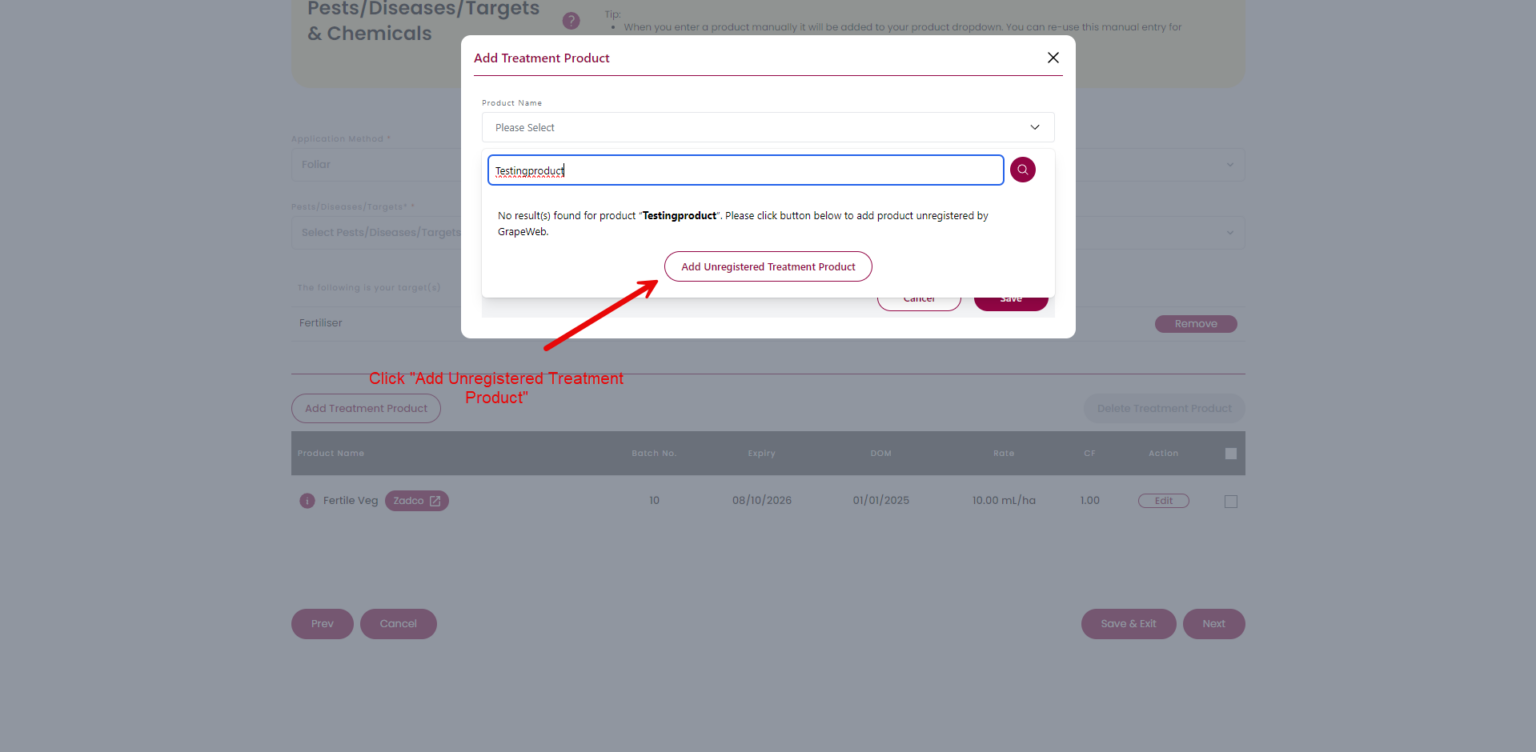
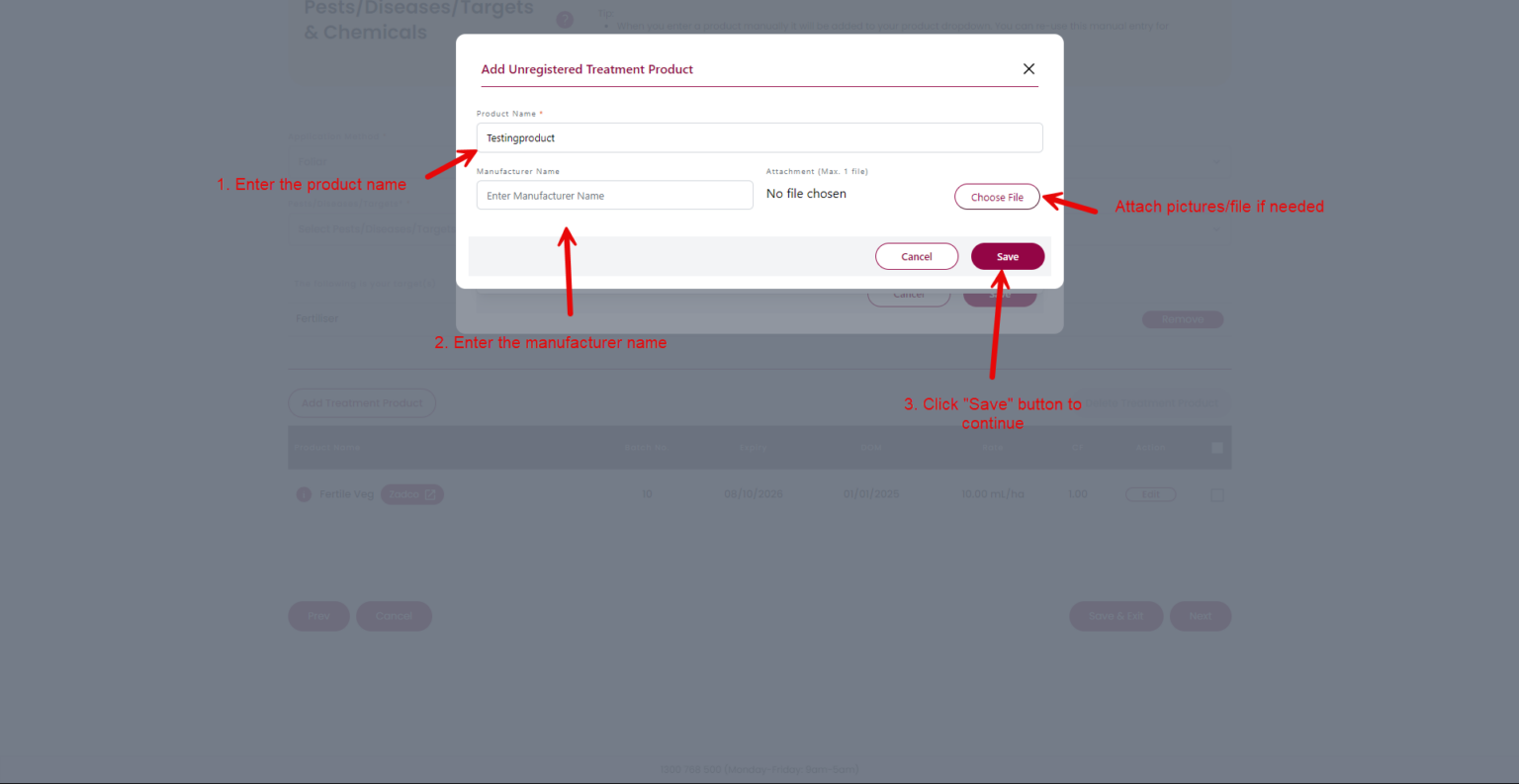
  4. Click “Add Unregistered Treatment Product” button
  5. Fill in the product details.
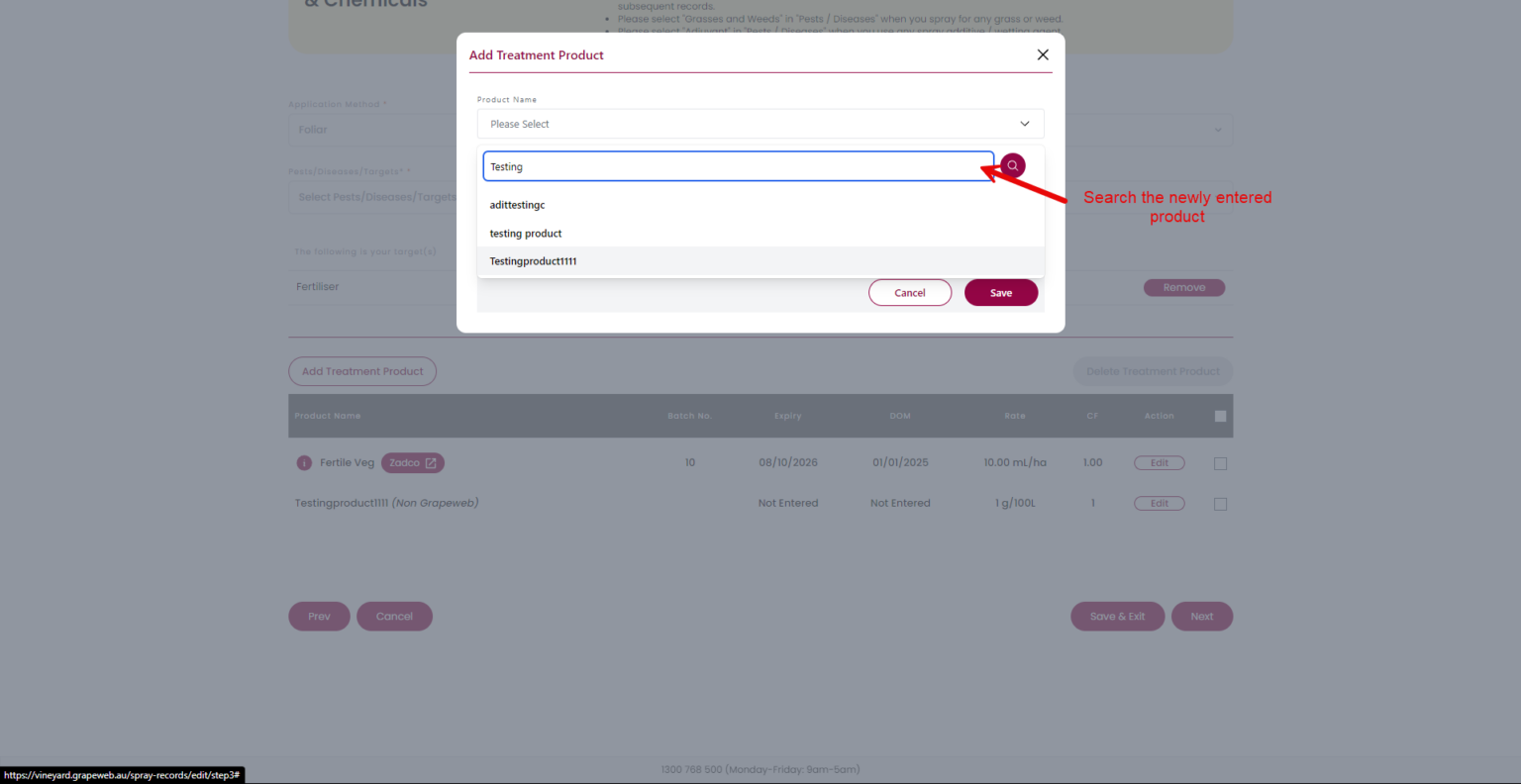
  6. Search the newly entered product.
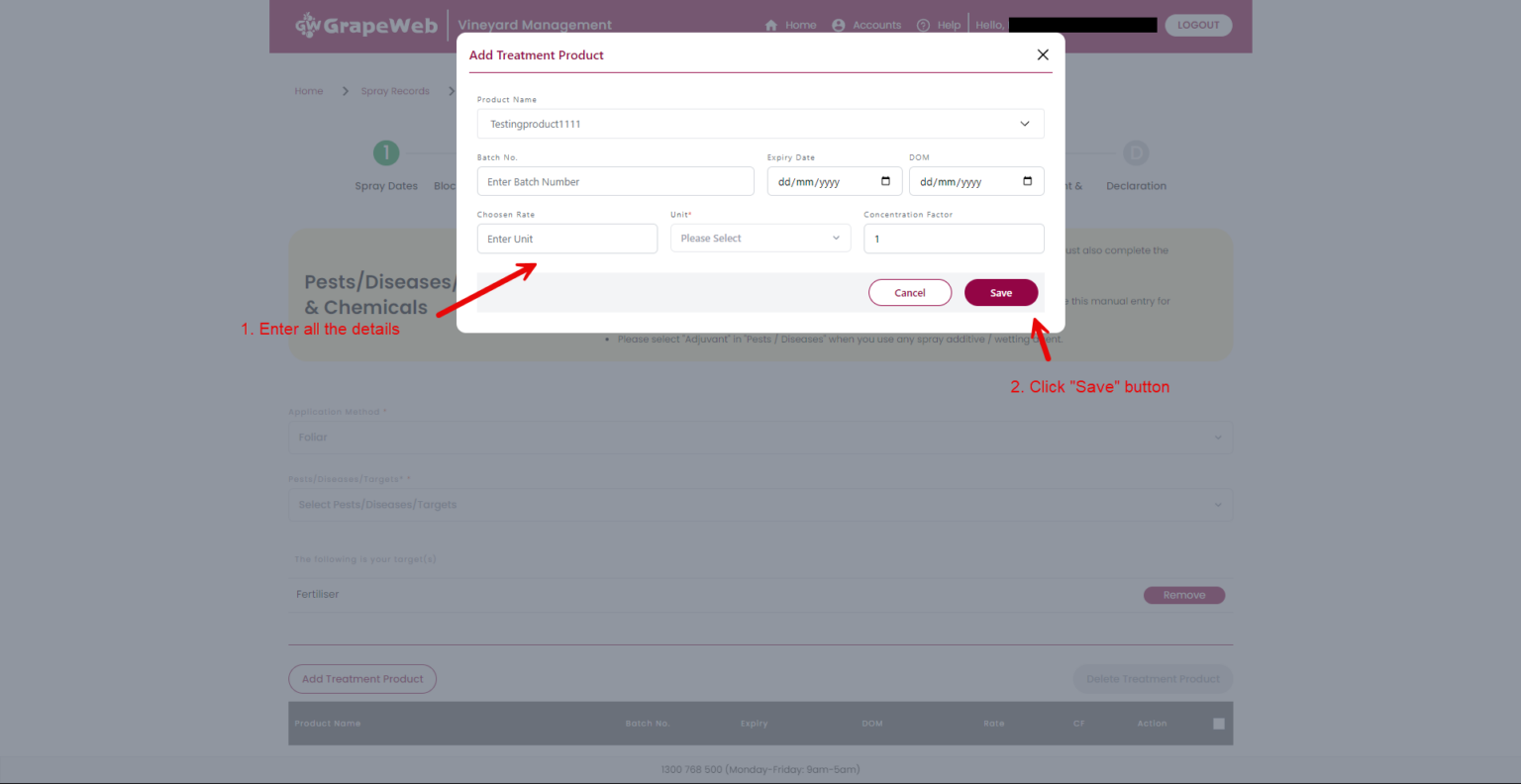
  7. Fill in the details.
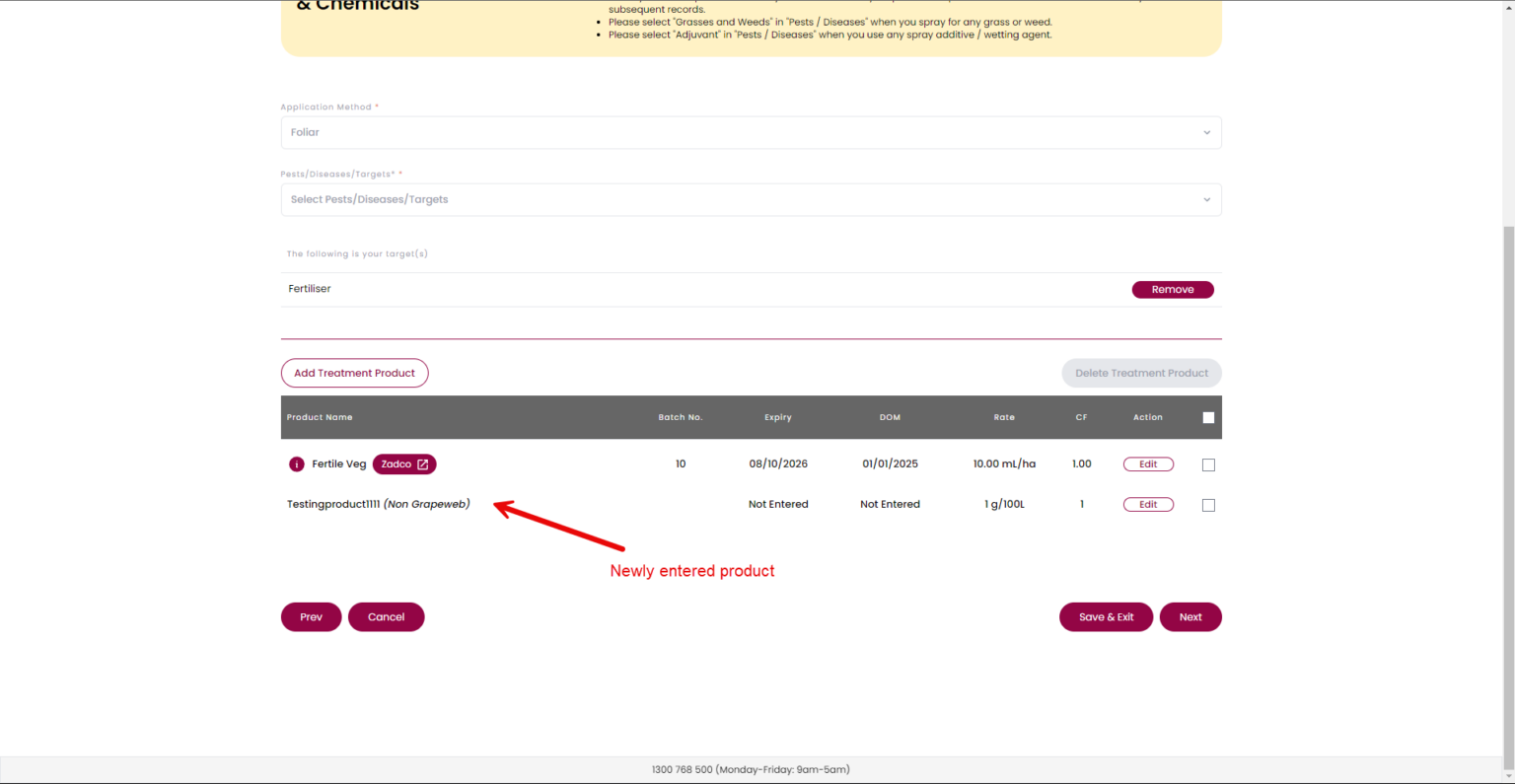
  8. Entered new product.

Screenshots:

Step 1

Step 2

Step 3

Step 4

Step 5

Step 6

Step 7

Step 8