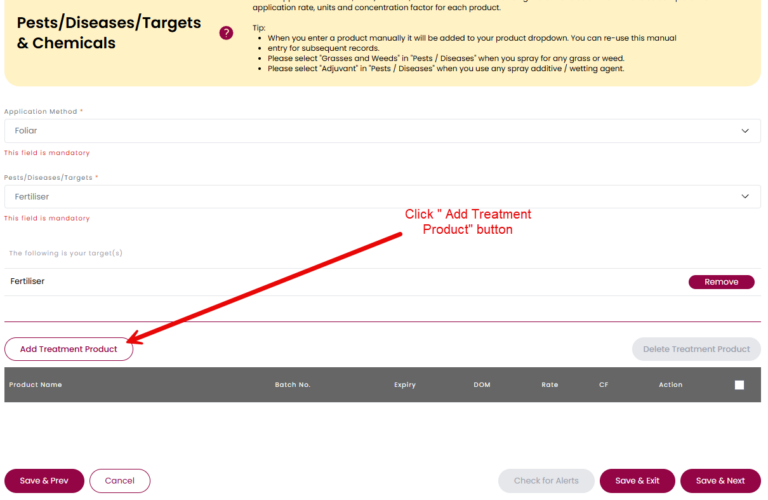
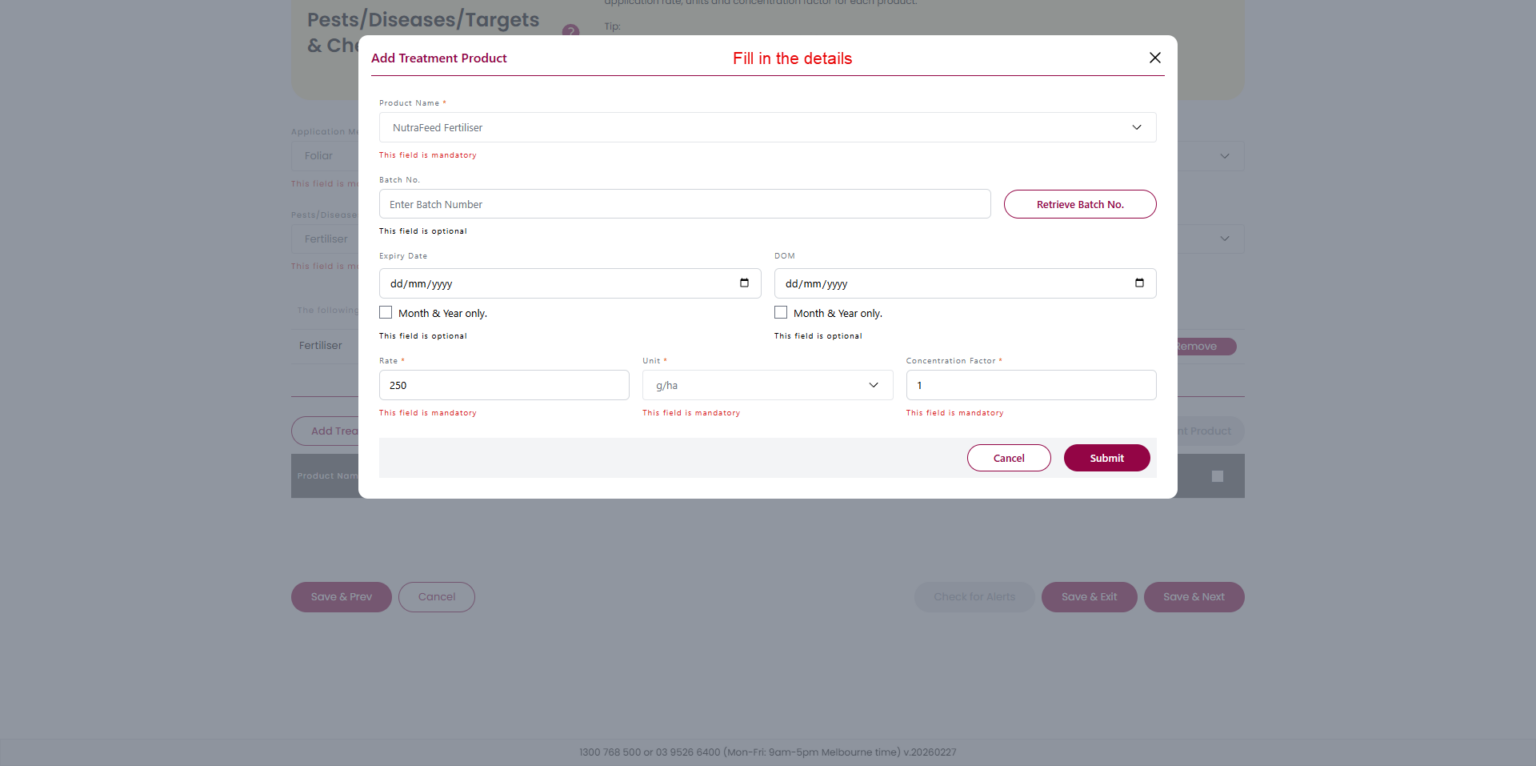
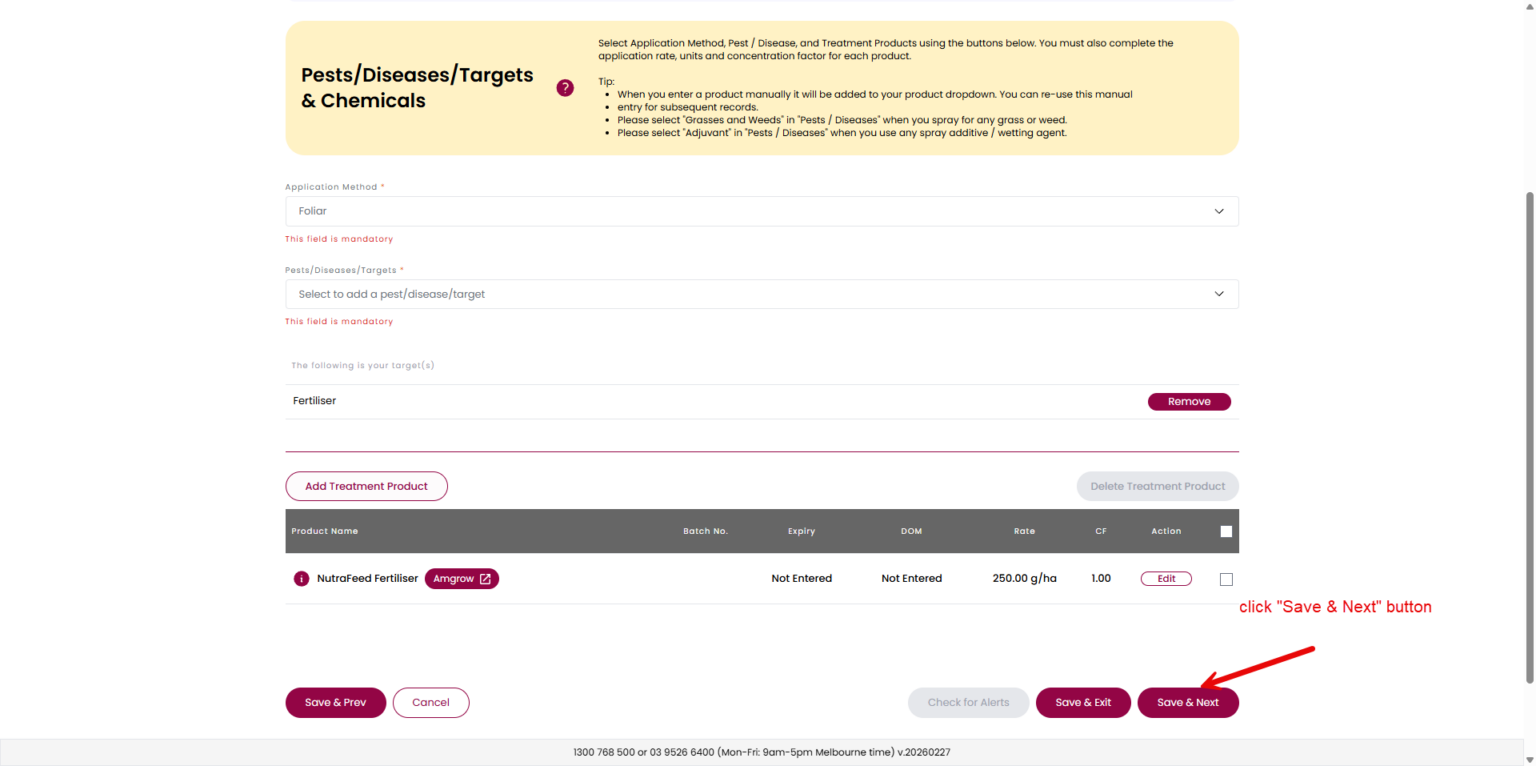
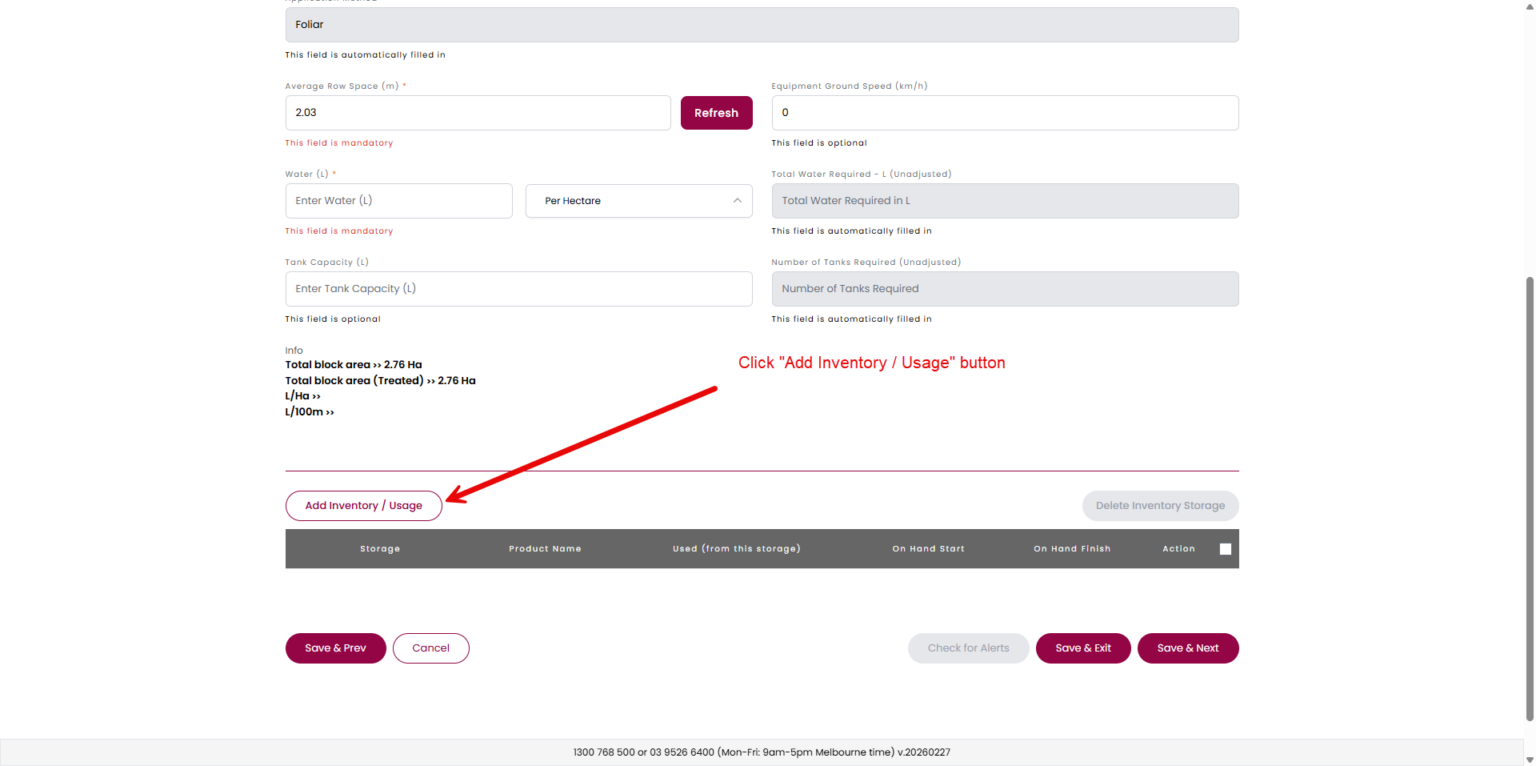
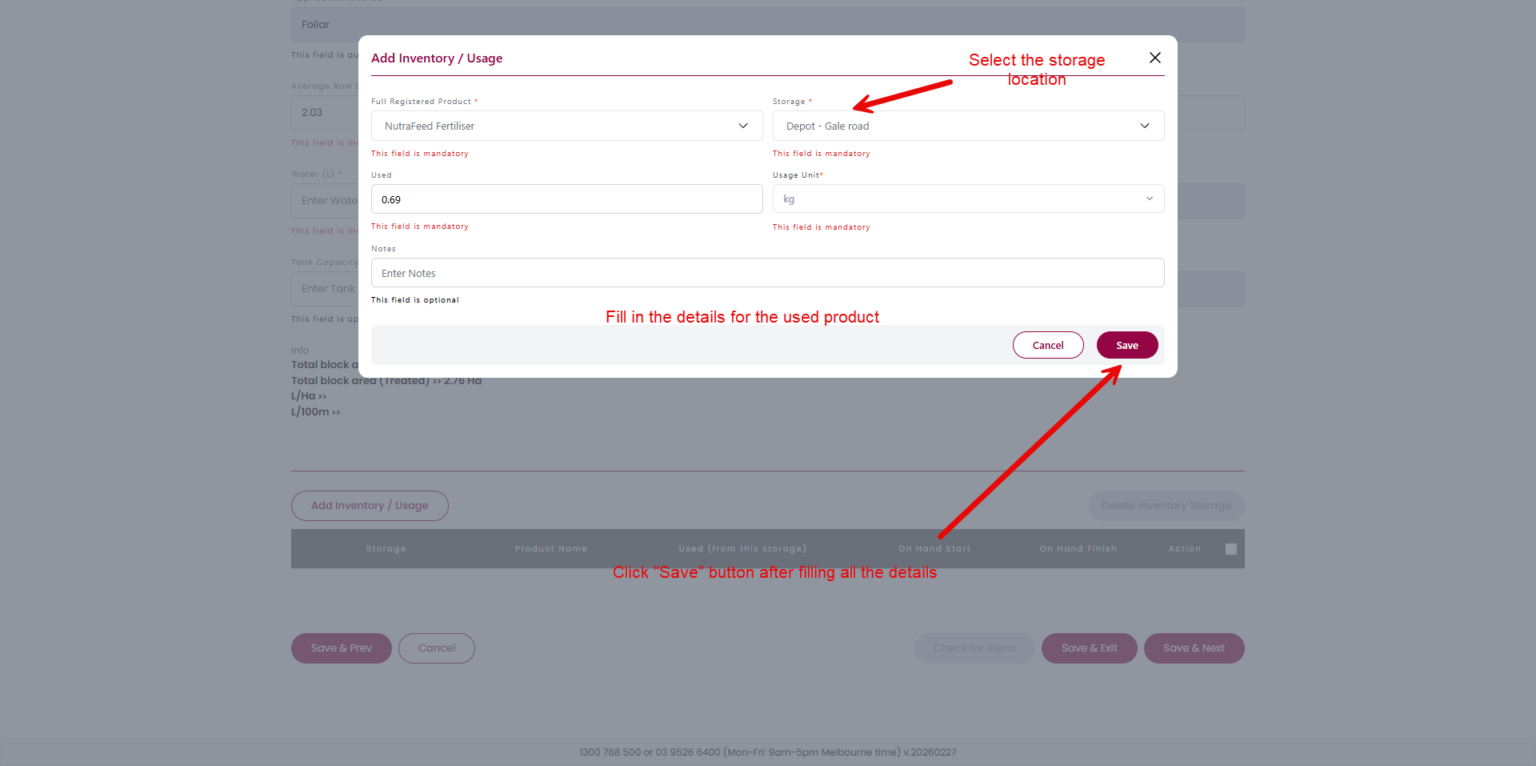
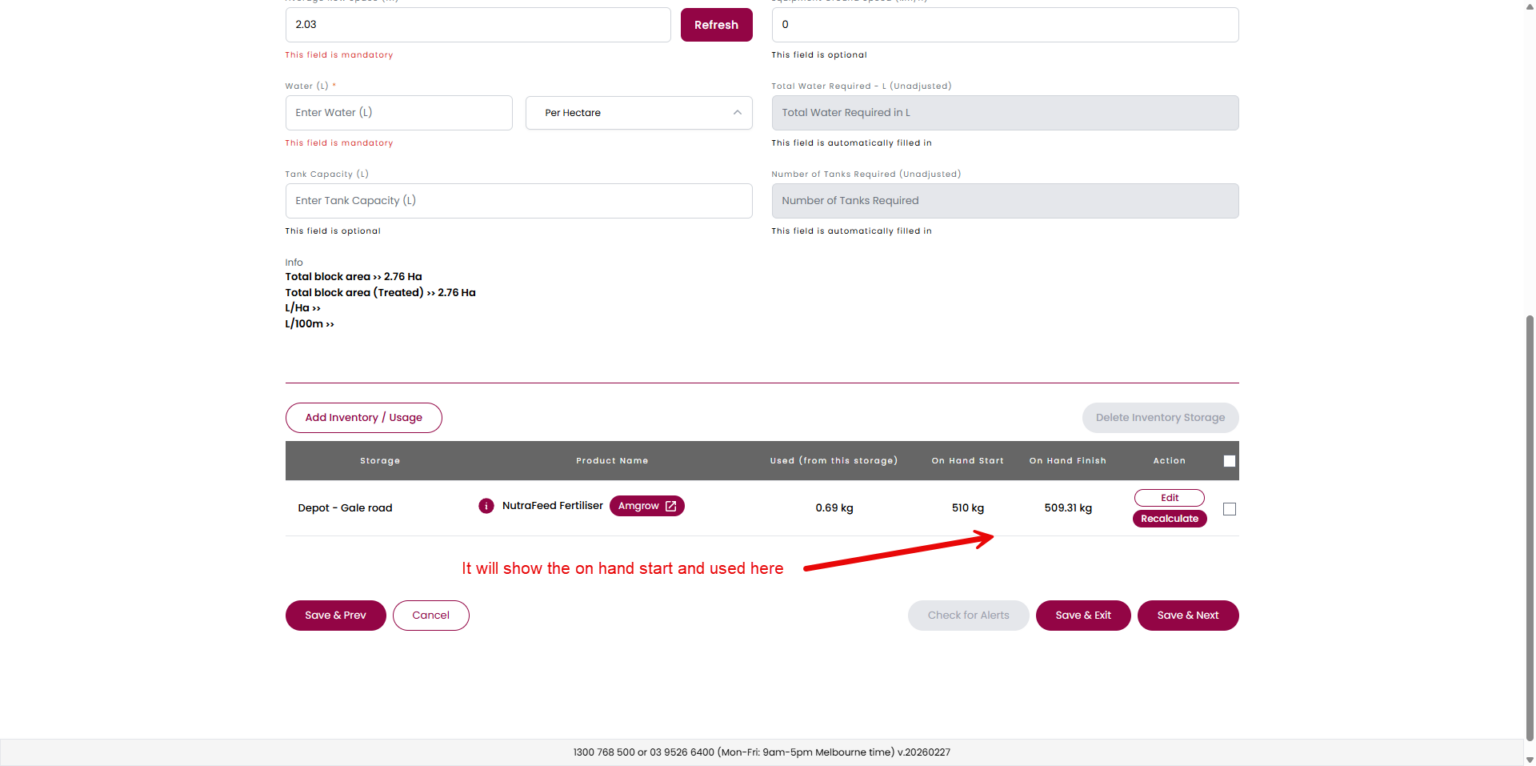
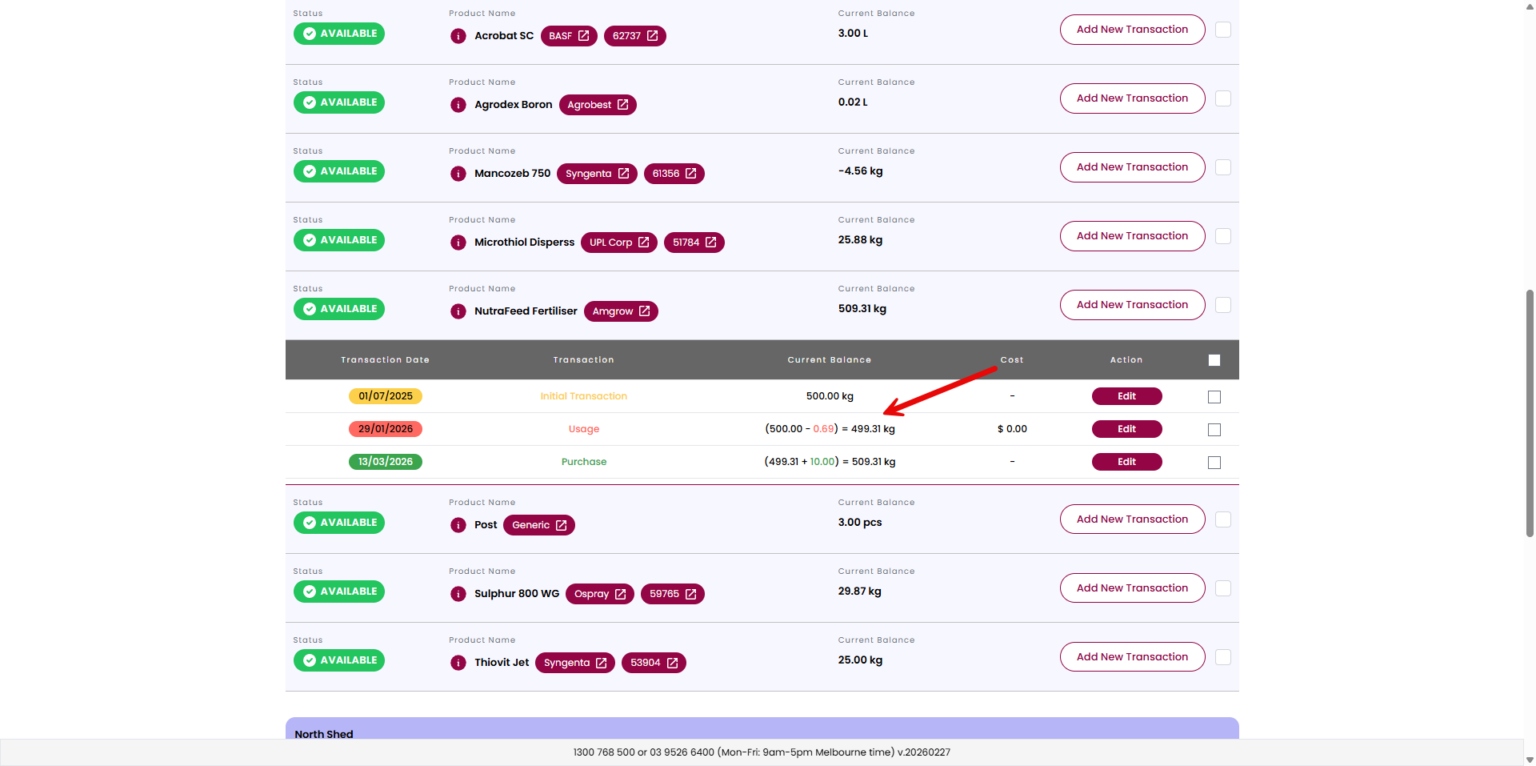
Steps: Click the "Balance and Usage" icon.Click the "Create New Initial Transaction" button.Fill in the details.Click the "Add New Transaction" button (Optional).Fill in the details of the new transaction.Click the product to see the transaction details. Screenshots: Step 1 Step 2 Step 3 Step 4 Step...
Grapeweb – More than spray diary system