Grapeweb – More than spray diary system

Search

How To : Send Messages

How To :Send Messages
How To
17 September 2026

A quick walkthrough for users to set declare as “No Spray” — from logging into vineyard management, through selecting blocks, to declaring as “No Spray”.

1

Open the "Send Message(s)" Function

From the vineyard management, find the "Block List" button

What To Do

4 actions

01

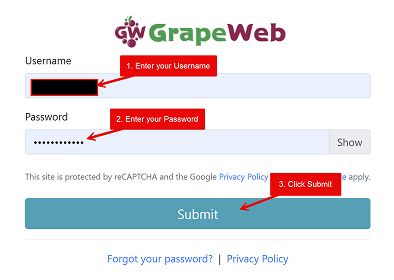
Log in to GrapeWeb by entering your username and password.

02

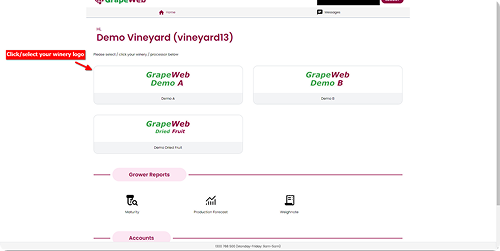
Wait for the Home page to appear, then select your winery/processor (click on your winery/processor logo).

03

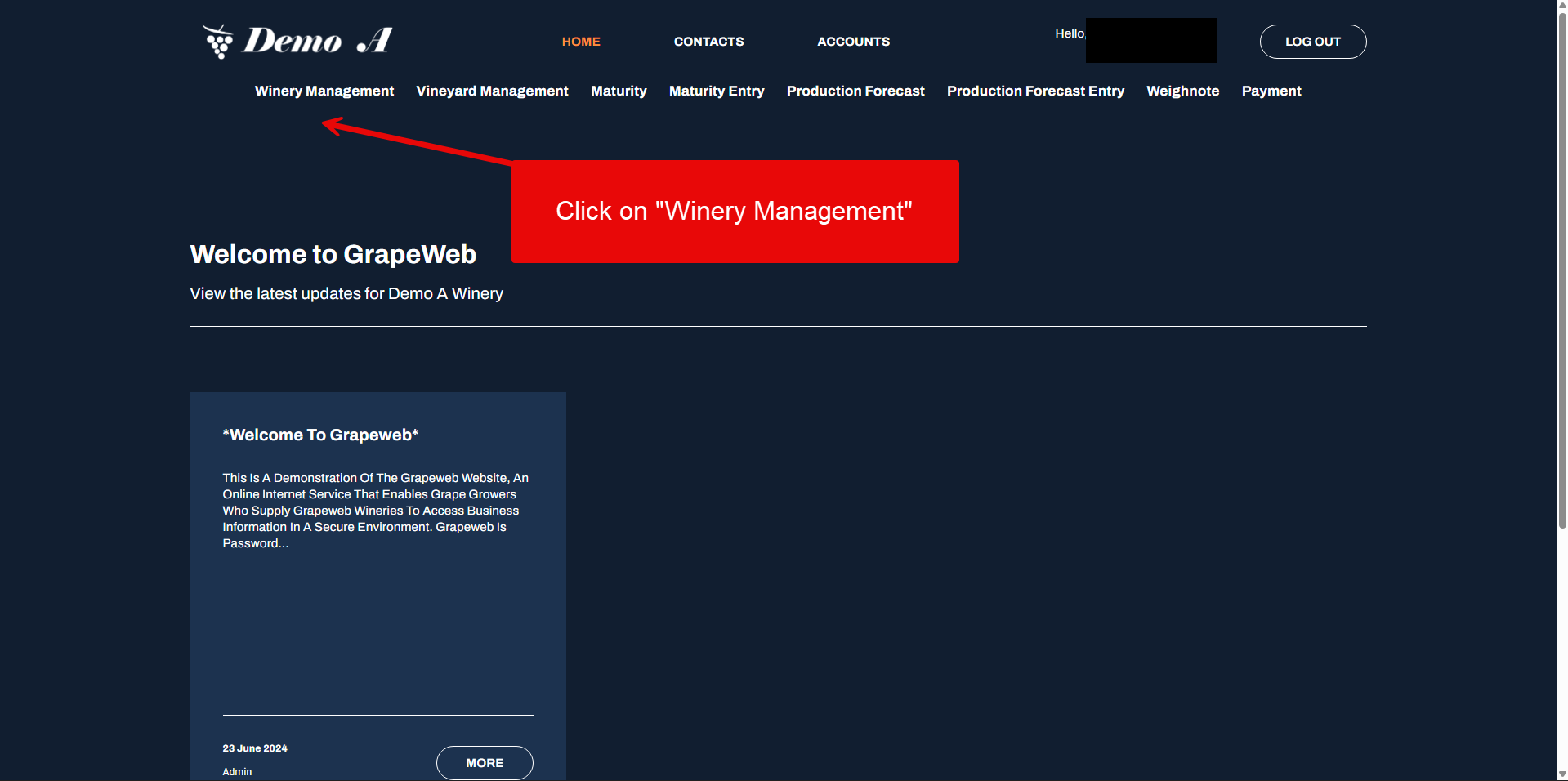
Wait for your Winery Page to appear, then click on the Winery Management menu.

04

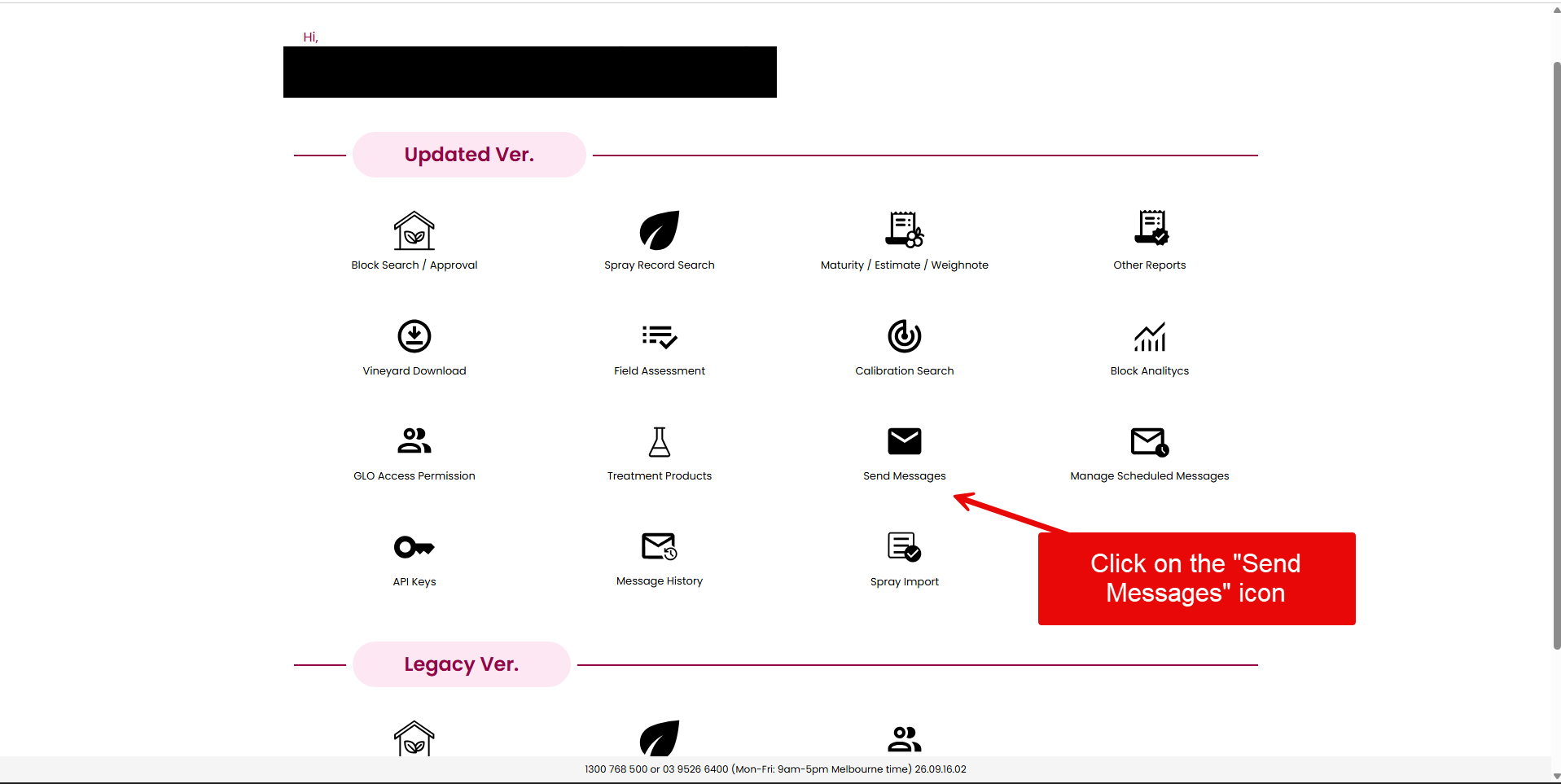
Look for the Updated Ver. section, then click Send Messages icon.

Step 1 · Click image to zoom

2

Send Message(s)

On the Block List page, select the blocks to set it as 'No Spray'.

What To Do

3 actions

01

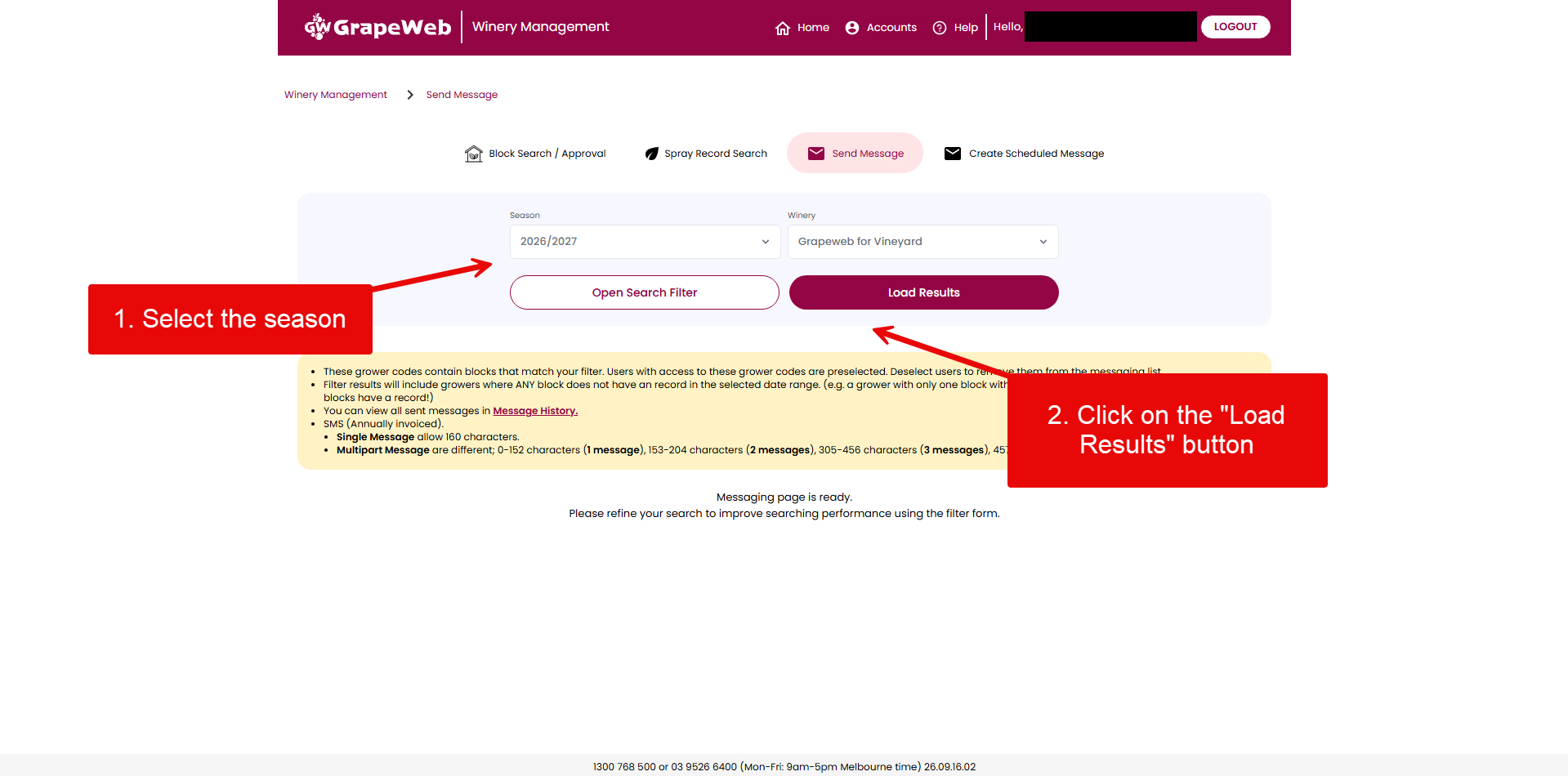
Select the Season and proceed.

02

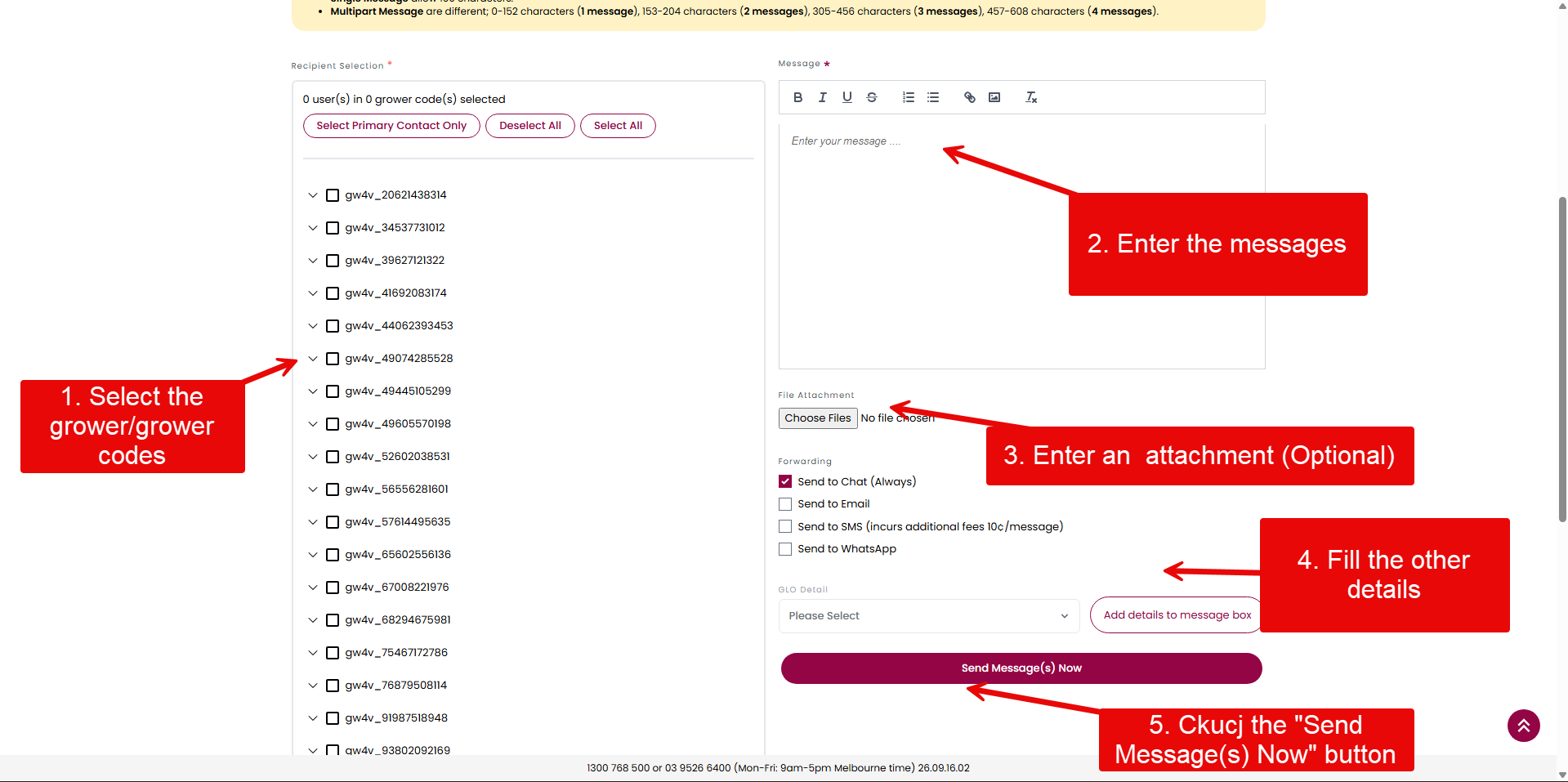
Select the list of growers and fill the messaging details .

Step 2 · Click image to zoom

🎉

You’re done!