Grapeweb – More than spray diary system

Search

How To : Set Declare as “No Spray”

How To :Set Declare as “No Spray”
How To
20 August 2026

A quick walkthrough for users to set declare as “No Spray” — from logging into vineyard management, through selecting blocks, to declaring as “No Spray”.

1

Open Block List

From the vineyard management, find the "Block List" button

What To Do

4 actions

01

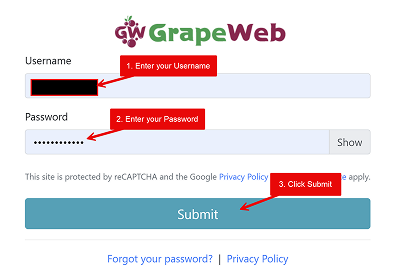
Log in to GrapeWeb by entering your username and password.

02

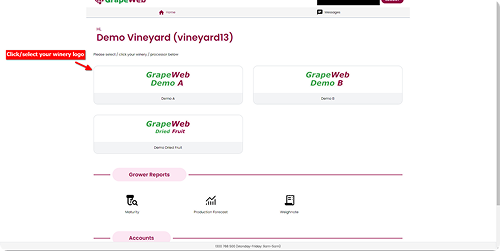
Wait for the Home page to appear, then select your winery/processor (click on your winery/processor logo).

03

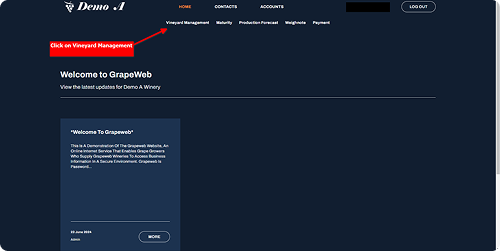
Wait for your Winery Page to appear, then click on the Vineyard Management menu.

04

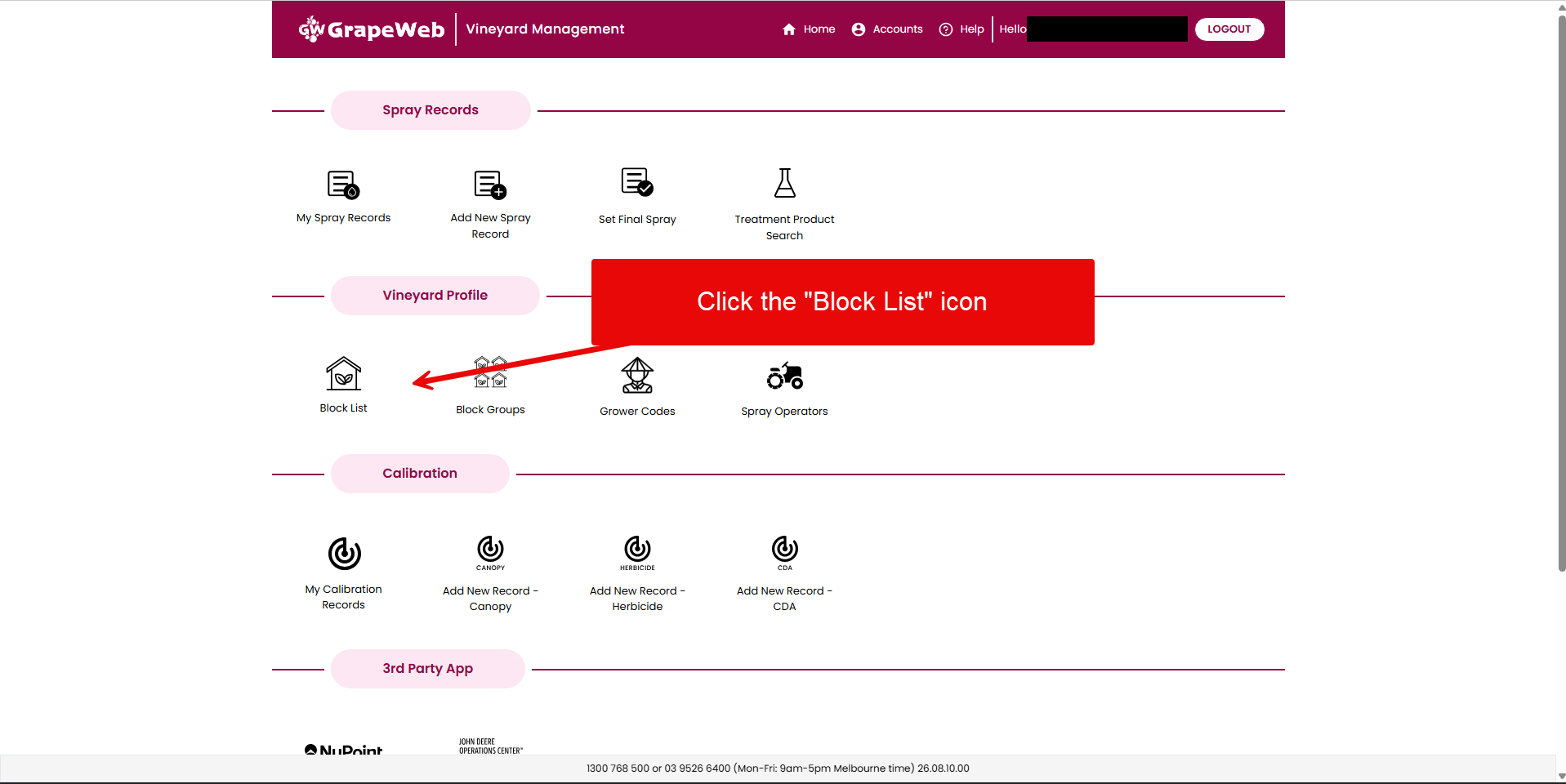
Look for the Vineyard Profile section, then click Block List icon.

Step 1 · Click image to zoom

2

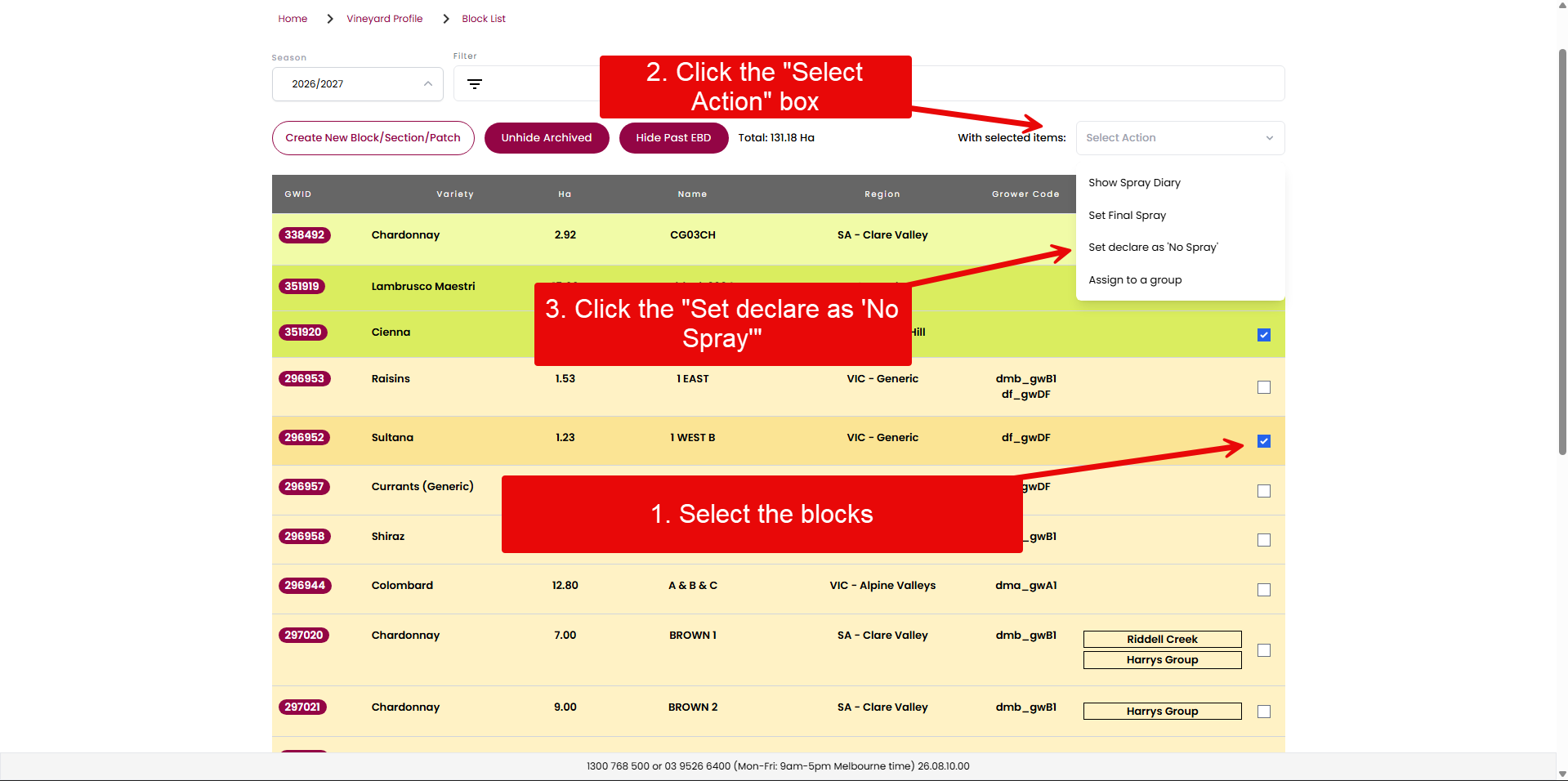
Declare as 'No Spray'

On the Block List page, select the blocks to set it as 'No Spray'.

What To Do

3 actions

01

Confirm you're on the Block List page (notice breadcrumb at top).

02

Select the desired Blocks.

03

Click the select action drop down to declare as 'No Spray'.

Step 2 · Click image to zoom

🎉

You’re done!